Changelog

Follow new updates and improvements to KIME.

May 13th, 2026

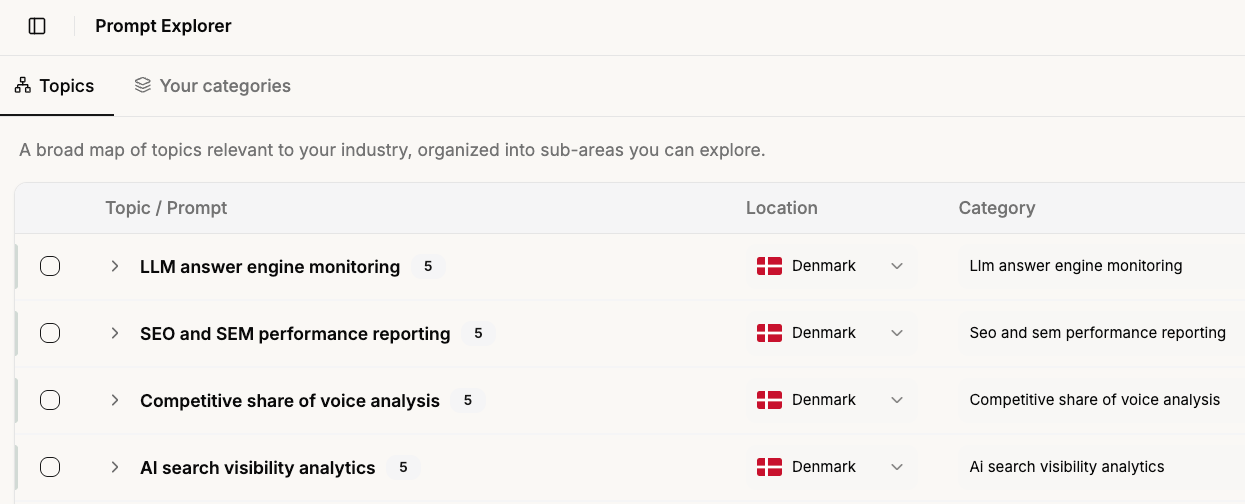
Prompt Explorer is a new tool that helps you discover prompts you might be missing. Browse AI-generated suggestions organized by industry topic or your existing categories, then add them to your workspace in bulk, no manual brainstorming needed.

How it works

  • Topics: explore a map of industry-relevant topics, each with a set of suggested prompts. Select individual prompts or entire topic groups and add them in one click.

  • Your Categories: see suggestions tailored to your existing category setup. Surfaces gaps like "you track Pricing - here are 5 more prompts that fit". Add to existing categories or create new ones.

Find it in the sidebar under your workspace navigation.


Also in this release

New

  • Map results from ChatGPT now render as rich place cards with name, address, rating, hours, and website.

  • Suggested tasks have explicit Accept/Reject buttons with instant optimistic updates, and appear in their own purple column on the task board.

  • Brand and alias mentions are now highlighted inline when viewing AI chat responses.

  • Product thumbnail images now appear in AI Mode shopping results.

  • Minor bug fixes

April 21st, 2026

Here's what we've been shipping recently.

New features

Organize your prompts with tags

You can now create and assign colored tags to your prompts, making it easier to organize, filter, and find what you need.

  • Create tags with custom names and colors in Workspace Settings
  • Assign tags to prompts individually or when editing them
  • Bulk assign tags directly in the prompts table
  • Import tags via CSV — add a Tags column to your bulk import file (comma or semicolon separated)
  • Filter by tags across the Dashboard, Citations, Competitor Analysis, Sentiment Deep Dive, Sources, and Analytics pages
  • Tags appear on prompt rows for quick visual reference

App improvements

  • Organisation page — redesigned to be more intuitive and easier to navigate
  • Prompt management — adding and selecting prompts is now faster and smoother
  • Navigation bar — refreshed design with updated shortcuts for quicker access to key features

Bug fixes

  • Sentiment breakdown — dates now display in the correct chronological order
  • Keyword count — fixed an issue where keyword counts did not match when filters were applied

April 7th, 2026

New

Hey there!

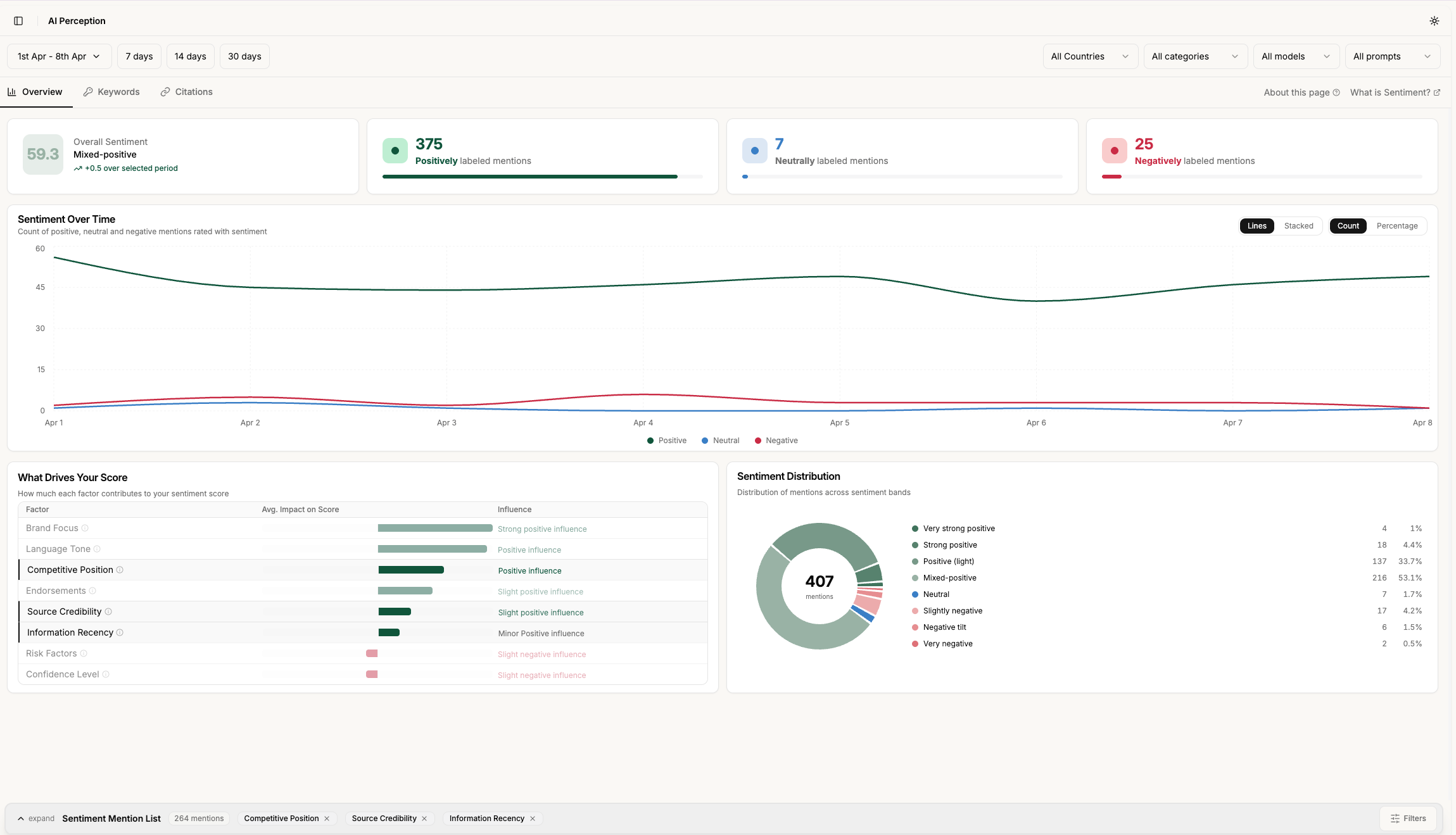
AI Perception lets you track and understand how AI models talk about your brand. You can monitor your overall sentiment score over time, identify which factors are helping or hurting your score, and see exactly which keywords are driving positive or negative AI responses about you.

You can discover which websites and sources AI is pulling from when it mentions your brand, so you know where to focus your content and PR efforts. You can also filter everything by country, AI model, category, and time period, making it easy to spot differences in how your brand is perceived across different markets and platforms.

On top of that, the feature generates an AI summary of how models perceive your brand overall, highlighting your key strengths and the areas most likely to be creating friction, so you always have a clear starting point for action.

AI Perception is available now in your Kime dashboard.

March 3rd, 2026

New

Our second most requested feature - Volume - is now live.

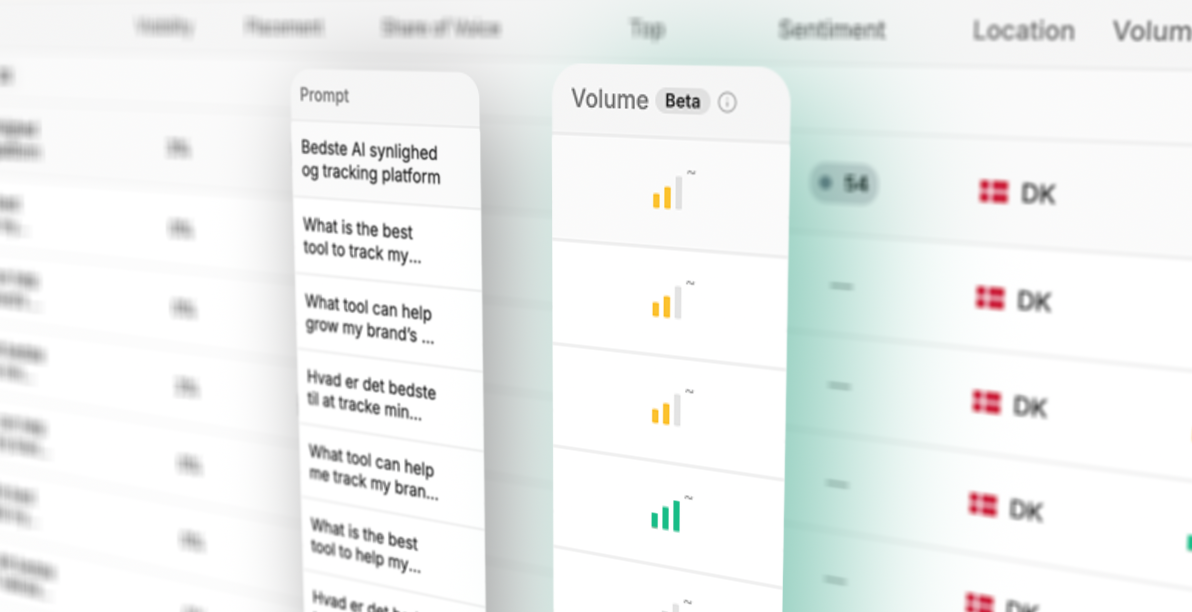
Volume shows you the estimated search traffic behind each prompt’s intent.

Each prompt displays a color-coded signal bar so you can instantly spot high, medium, and low volume topics at a glance.

This means you can now prioritize your LLM optimization efforts based on real search behaviour, not just gut feeling.

We’re looking forward to hearing how you’re using it!

March 3rd, 2026

New

Our most requested feature to date – Actions – is live.

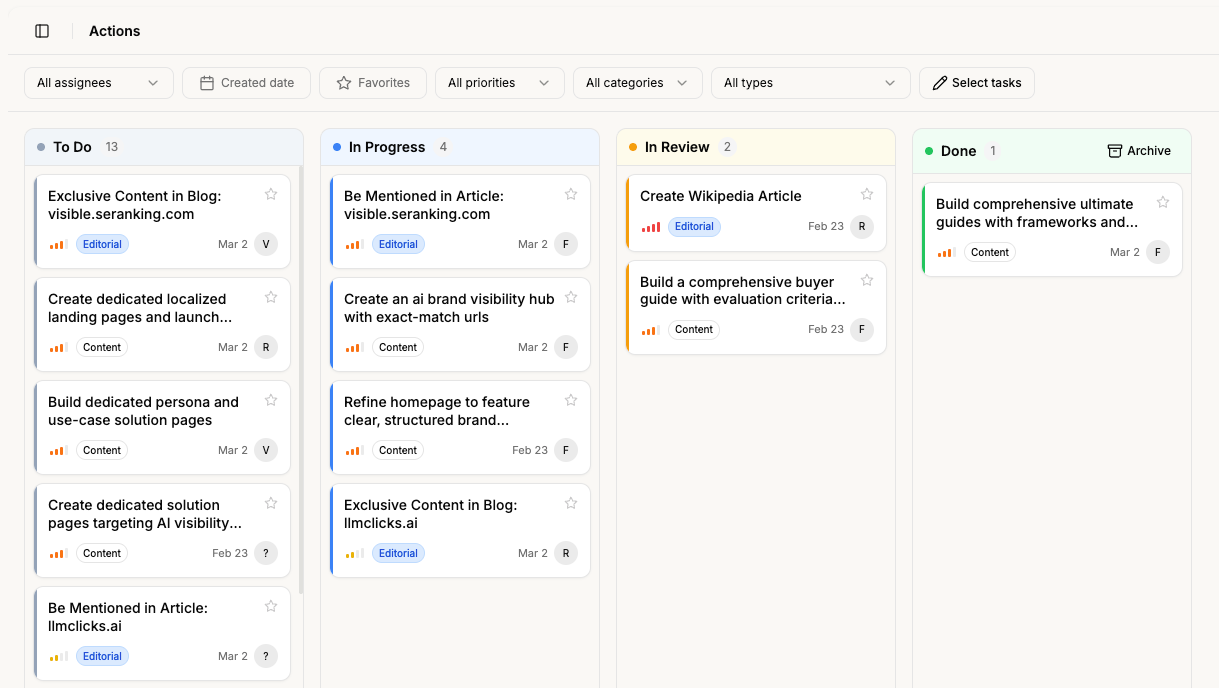
Actions help you go one step further than what you could with KIME previously. Instead of only measuring and analysing the data, you are now able to act on the data by seeing specific suggestions on how to improve your LLM presence.

You can drag-and-drop actions between status stages, assign specific people within your organisation, and add comments, for example, with further input.

While categorisation, priority, and type are added automatically, you can override those manually.

By clicking on an action, you can get a much deeper explanation and see the subtasks, associated actions, tips, and criteria.

New actions are generated every Sunday to make sure you have fresh ones ready for the following week.

We are looking forward to hearing your feedback & success stories already.